
Turning Screen Time Into Learning Time
Technology is a part of modern childhood, and when used thoughtfully, it can become a powerful tool for learning and discovery. Instead of viewing screen time as something purely entertaining, parents can guide children toward online programs that encourage curiosity, creativity, and skill development.
The key is choosing digital experiences that are age-appropriate, educational, and interactive. Many high-quality programs help children practice reading, problem-solving, creativity, and even digital safety skills.
Here are several online programs families can explore together.
ABCmouse
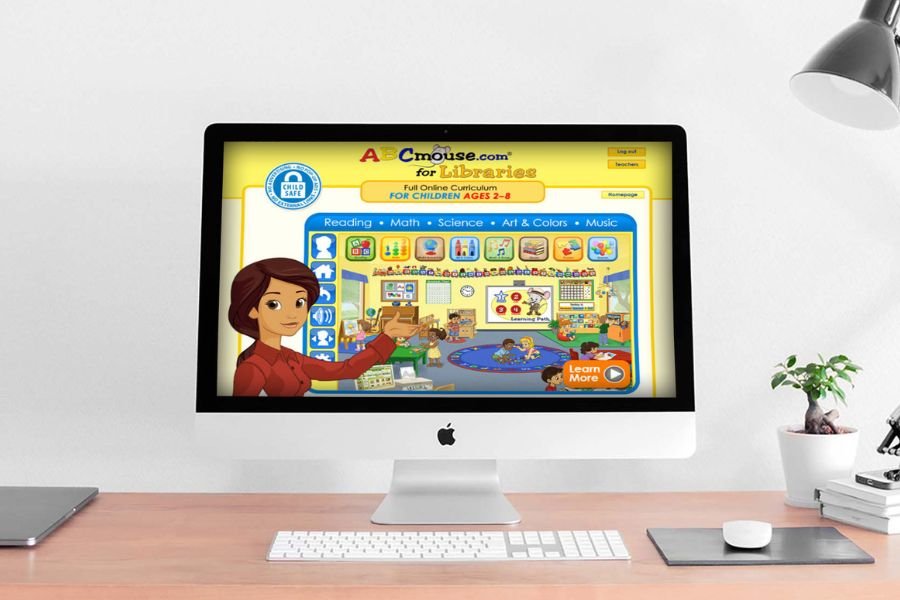
ABCmouse is one of the most widely used early learning platforms for young children.
Designed for ages 2–8, the program provides a structured learning path that covers subjects such as:
- Reading and phonics
- Early math skills
- Science concepts
- Music and art
- Social studies basics
Children progress through interactive lessons, songs, games, and digital books while earning small rewards that keep them motivated. Parents also receive progress reports so they can track how their child is developing new skills.
ABCmouse works well as a supplement to preschool learning, helping children practice letters, numbers, and early reading in a fun way.
PBS Kids
PBS Kids offers a wide collection of educational games based on popular children’s programs like Daniel Tiger’s Neighborhood, Wild Kratts, and Curious George.
The games focus on areas such as:
- Emotional learning
- Early math and literacy
- Problem solving
- Science exploration
Because the activities are built around familiar characters, children often feel comfortable exploring the games while still learning new skills.
Another benefit is that many PBS Kids resources are completely free, making them accessible to families looking for high-quality learning tools without subscriptions.
Starfall
Starfall is a reading-focused learning website that helps young children build literacy skills through interactive activities.
The platform emphasizes:
- Letter recognition
- Phonics and reading practice
- Vocabulary development
- Simple stories and songs
The visual design is simple and easy for young children to navigate, which makes it especially helpful for early readers who are just beginning to recognize words and sounds.
Many teachers and early childhood programs recommend Starfall because it reinforces foundational reading skills in a playful and engaging way.
National Geographic Kids
For children who love animals, nature, and exploration, National Geographic Kids offers exciting digital content that inspires curiosity about the world.
Children can explore:
- Animal videos and facts
- Science articles
- Geography games
- Educational quizzes
The site encourages children to ask questions and learn about wildlife, ecosystems, and cultures around the globe. It’s a wonderful way to spark conversations about science and nature.
WhitneyWifi.com
WhitneyWifi.com provides guidance specifically designed to help families navigate the digital world safely and responsibly.
While many websites focus only on entertainment or academics, Whitney WiFi focuses on digital awareness and healthy technology habits.
Families can explore topics such as:
- Internet safety for children
- Understanding WiFi and technology at home
- Digital citizenship
- Building healthy screen habits
This type of guidance helps children learn how to use technology wisely, not just how to use it.
Parents may find this especially helpful as children begin interacting with devices more frequently in school and at home.
Tips for Exploring Online Programs With Your Child
Online learning works best when parents stay involved and guide their children’s experience.
Here are a few helpful tips:
Explore Together
Sit with your child during new activities so you can talk about what they are learning and help them navigate the program.
Set Time Limits
Balance digital learning with other important activities like outdoor play, reading books, and creative play.
Choose Age-Appropriate Content
Look for programs designed specifically for your child’s age group to ensure the material is engaging and understandable.
Encourage Conversation
Ask questions about what your child is seeing or learning online. Conversations help reinforce knowledge and deepen understanding.
Making Technology a Positive Learning Tool
When used thoughtfully, online programs can expand a child’s world and introduce new ideas, skills, and interests.
The goal is not to replace traditional play or real-world learning experiences. Instead, digital tools should support curiosity, creativity, and exploration in ways that complement hands-on learning.
By choosing high-quality programs and staying involved in your child’s digital experiences, parents can help turn screen time into meaningful learning time.